Sirnia lets you import your existing Typeform forms in one click. Connect your Typeform account, pick the forms you want, and Sirnia rebuilds them for free. No CSV exports, no manual rebuilding, no copying questions across tabs. Migrating from somewhere else? See all the ways to import forms into Sirnia.

Importing from Typeform is free for all Sirnia users.

How to import your forms from TypeformWhat gets imported, and what doesn'tWhy import your forms from TypeformFrequently asked questions
How to import your forms from Typeform
In your workspace, click
+ New form then select Import from and choose Typeform.
You'll be redirected to Typeform to log in and approve access. Sirnia uses OAuth, which means you never have to share your Typeform password.
Once connected, you'll see a list of all your Typeforms. Select the ones you want to bring into Sirnia and click
Import. You can import a single form or multiple forms in one go.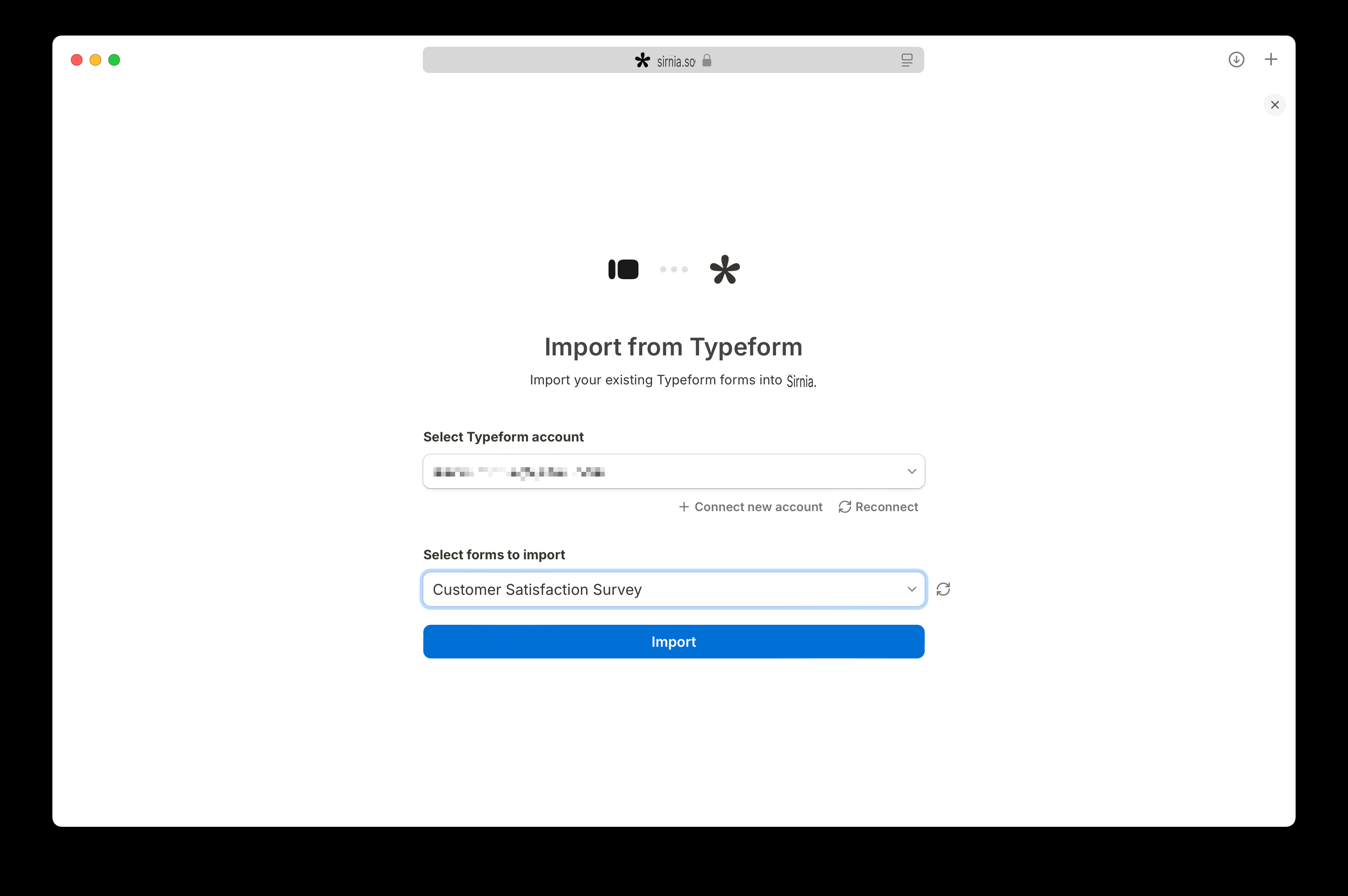
The imported forms appear in your workspace as drafts, ready to review and publish.
What gets imported, and what doesn't
Sirnia translates your Typeform structure into native Sirnia blocks. Here's what to expect.
What's imported:
- All standard question types: short text, long text, multiple choice, dropdowns, email, number, date, rating, opinion scale, yes/no, and file upload
- Question titles, descriptions, and answer options
- Required/optional settings per question
- Welcome and thank you screens
- Multi-page structure
- Your form design is matched as close as possible
What needs a quick review after import:
- Conditional logic: Sirnia imports conditional logic, but Typeform's logic jumps don't always map one-to-one. Open the imported form and check that your logic rules behave the way you want.
- Integrations: Google Analytics and Meta Pixels are imported. Reconnect other integrations (Slack, Notion, Google Sheets, Zapier, etc.) inside the imported form's settings.
What isn't imported:
- Form responses: The importer transfers the form structure, not historical submissions. Export your existing responses from Typeform as a CSV before switching off your old form.

Importing a form doesn't touch your Typeform account. Your original Typeforms keep working until you turn them off, useful if you want to run both side by side during the transition.
Why import your forms from Typeform
People move from Typeform to Sirnia for a few common reasons. Whatever yours is, the importer means you don't have to start from scratch.
- Hitting Typeform's response limits: Typeform's free plan caps you at 10 responses per month, and the first paid tier still only allows 100. With Sirnia, forms and responses are unlimited on the free plan.
- Consolidating tools: If you've been using Typeform alongside other builders, import everything into one workspace and manage it in one place.
- Breaking out of the one-question-per-page format: Typeform forces every form into a strict one-question-at-a-time layout. Sirnia lets you choose — keep that conversational flow, group multiple questions on a single page, build multi-column sections, or mix content and inputs freely. Your forms aren't locked into one structure.
For a full feature-by-feature breakdown, see our Sirnia vs Typeform comparison.
Frequently asked questions
Can I import my Typeform forms into Sirnia?
Yes. Sirnia has a built-in Typeform importer that connects to your Typeform account via OAuth and rebuilds your forms in Sirnia automatically.
Is the Typeform importer free?
Yes, it's free for all Sirnia users. You can import unlimited forms, and the forms you create stay free forever with unlimited responses.
Does the importer transfer my Typeform responses?
No, only the form structure is imported. Export your existing responses from Typeform as a CSV before switching off your old form. Future submissions go to Sirnia once you start using the imported form.
Why move from Typeform to Sirnia?
Sirnia is a free Typeform alternative with unlimited forms, unlimited responses, conditional logic, calculations, and integrations, all on the free plan. Most Typeform features that sit behind paid tiers are free in Sirnia.
How long does the import take?
A single form usually imports in a few seconds. Larger batches take a bit longer, but you don't need to wait, you can close the tab and check your workspace once the import is done.
→ Return to  Common guides