In multi-question forms, you might find it useful to mention a respondent's answer to an earlier question. With answer piping, you can recall a respondent's answers from previous questions and insert them into later questions in your Sirnia form.

Answer piping is available for free to all Sirnia users.
How does it work?
Any answers you collect in your form can be mentioned to personalize the form experience. For example, after collecting a respondent’s name, you can mention it in a text block — Sirnia will automatically insert the answer in real time.
Try typing your name in the form below👇
How do I mention answers?
The most common use case of answer piping is to mention a respondent's name to address them personally in the form.
First, you need to ask the respondent's name to do this. In the example below, we added a short answer block by typing
/short and adding “Your name” as the question.Then, you need to add any welcome text below. In the part where you want to address the respondent by their name, type
@ and select or type the corresponding input field, such as “Your name.” 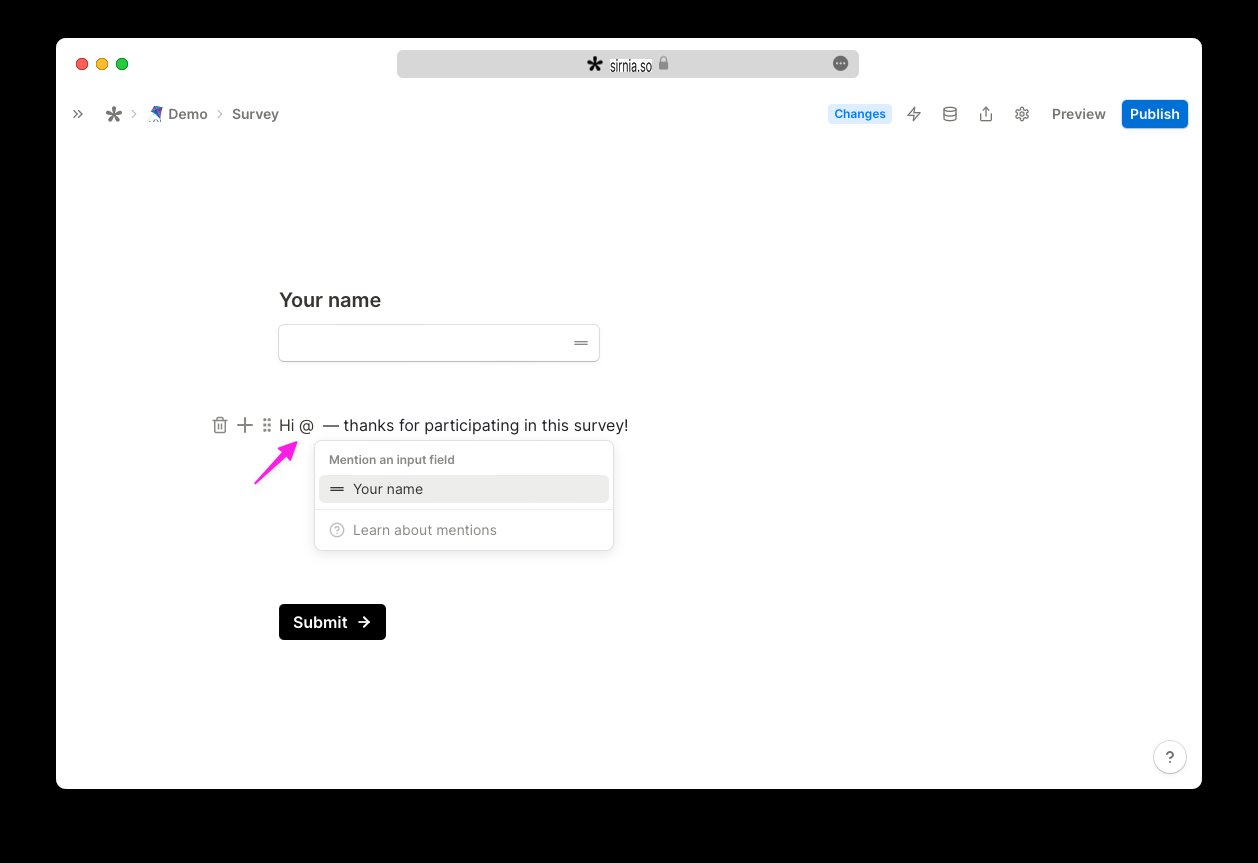
The form will now automatically mention the answer your respondent typed in the “Your name” question.
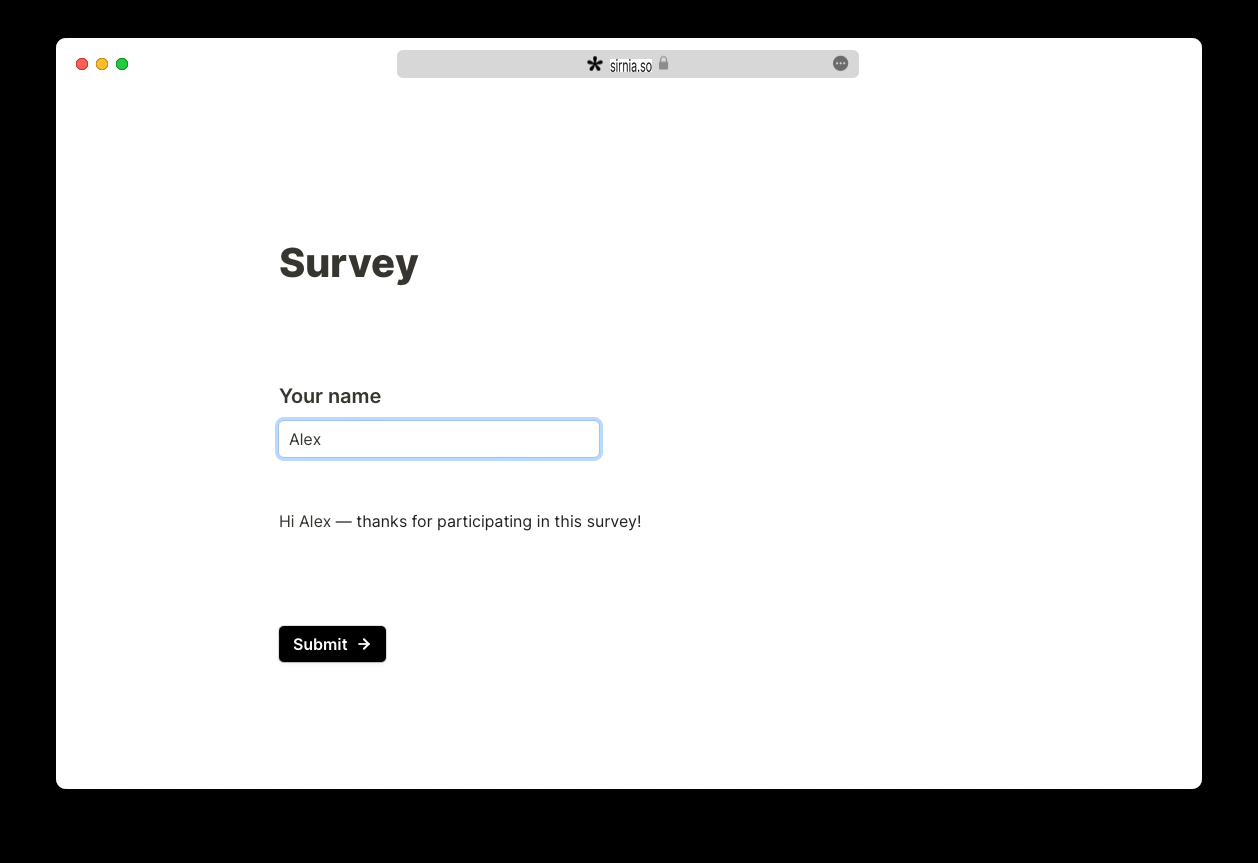
If the “Your name” question is not required and the respondent does not enter their name, you can add a default value by clicking on the mentioned value.
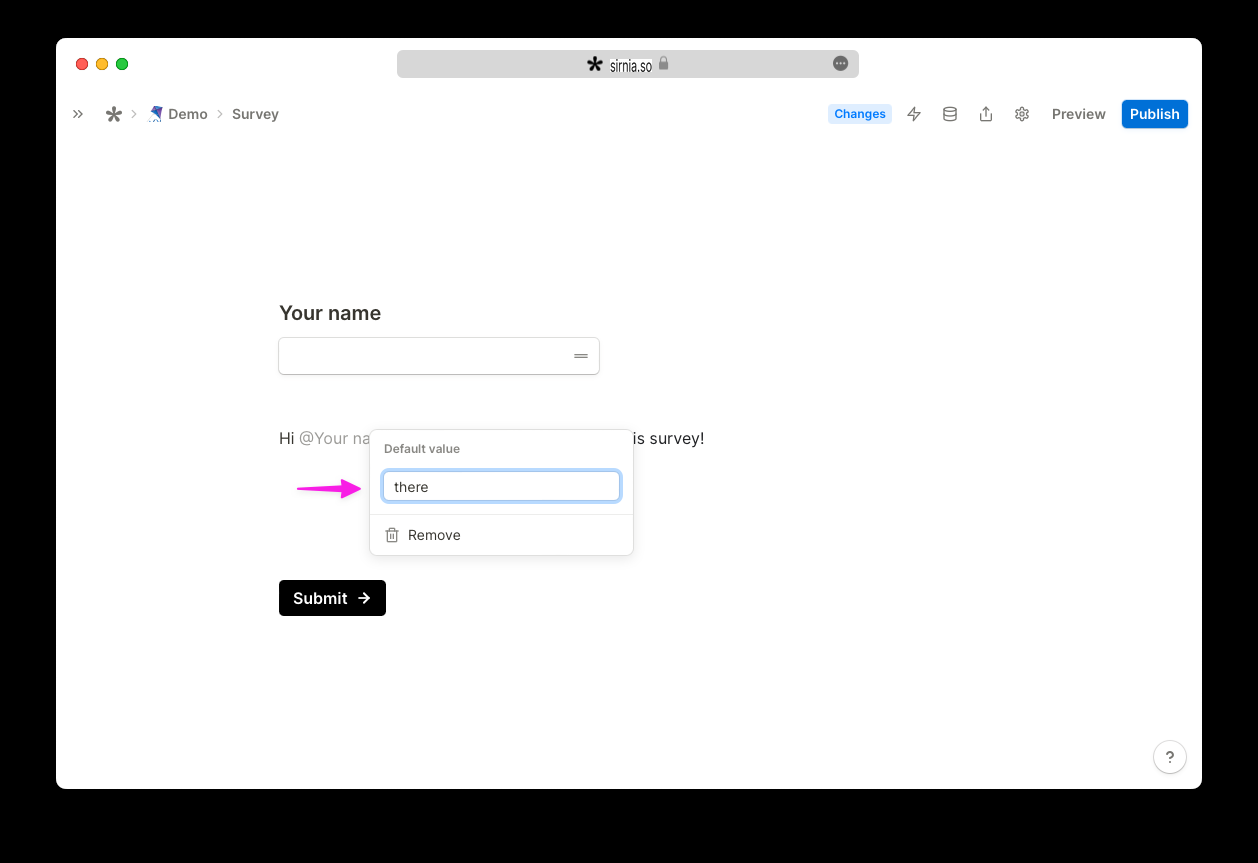
You can now click to
Preview your form and fill out the question to test the result. 
Do this with Sirnia AI
Open your form, click
Ask AI (or ⌘+J), and set up conditional logic in plain language. Sirnia AI is free on all plans. Try this prompt:“Use the respondent's first name in the follow-up questions and the thank-you message.”
Which blocks can I mention?
- Input fields (answers to questions)
- Hidden fields (mention data you already have)
- Calculated fields (mention calculated prices or scores)
Where can I mention answers?
- Text
- Titles
- Labels
- Questions
→ back to Features